
Power BI reports that lead to claritydecisionsaction
I design Power BI reports and design systems where every page answers clearly defined questions, every click goes one level deeper, and the last page tells you what to do next. Built faster with AI.
Design that makes sense. AI that makes it fast.
Three things that go hand in hand, with one goal: a report someone opens, understands and acts on.
Clear questions per page
We define the questions for each page in the requirements stage. Then the data tells the story.
- Figma wireframes before Power BI
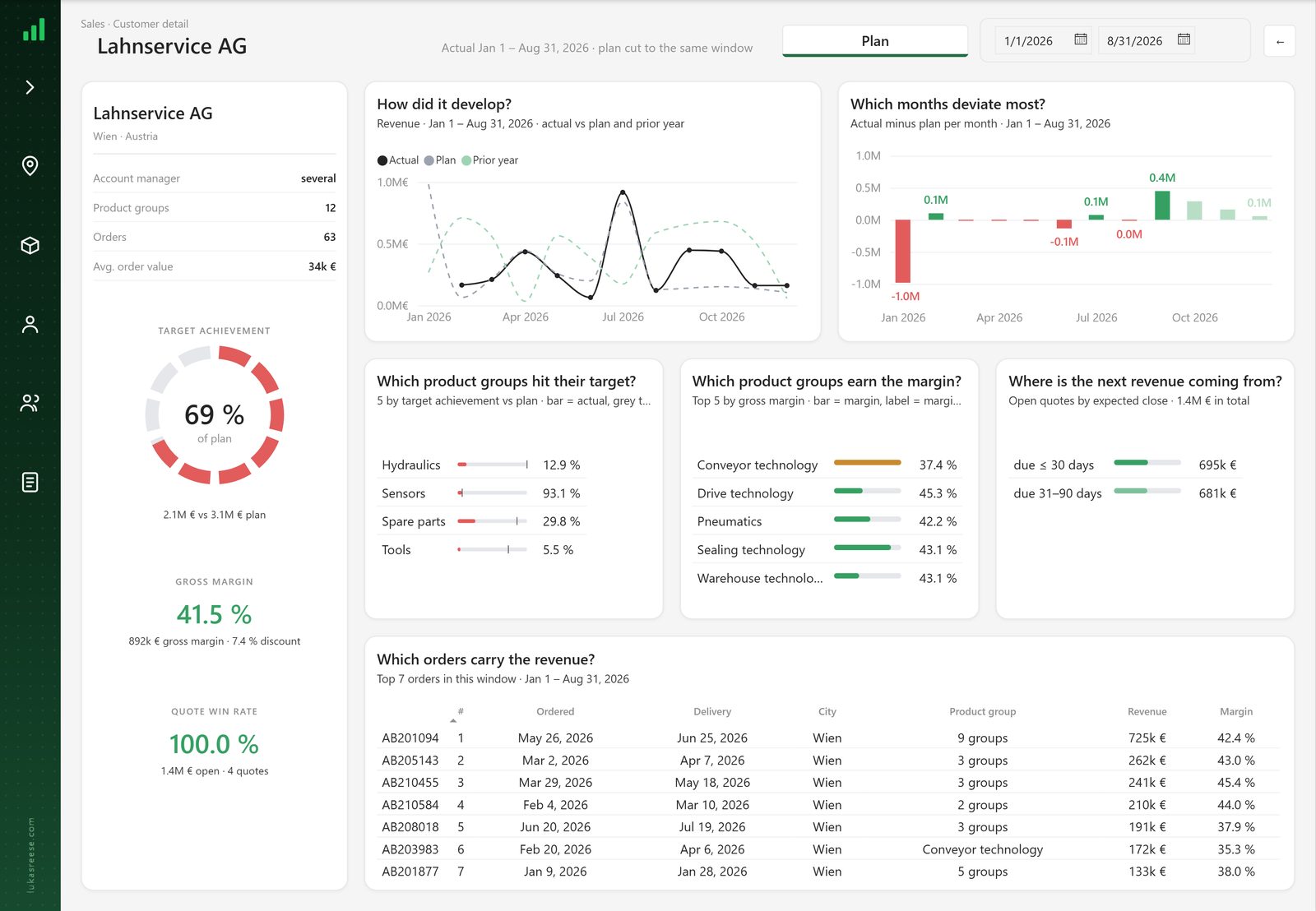
- Drill-through and tooltip pages
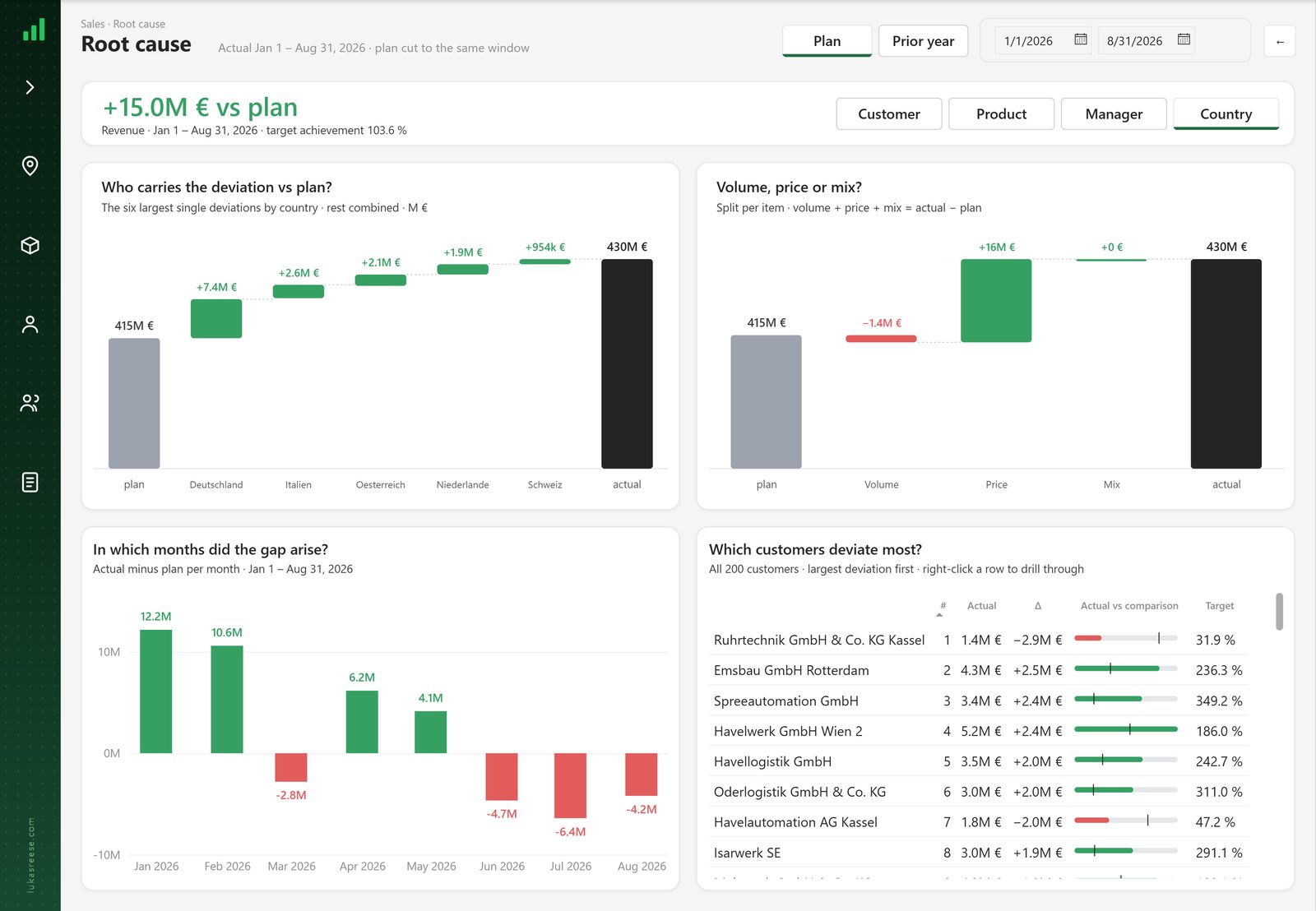
- Rankings and bridge analysis
- A clear “what now” at the end
Every report, one style
Grid, colours, page types and rules, so new pages look right without a design review.
- Page wireframes and templates
- Power BI theme
- Figma component library
- Rules AI can follow


Faster with AI, checked by me
AI writes models, measures and report pages in PBIP. Every result is verified before it ships.
- Claude + Power BI + PBIP
- Semantic models and DAX
- Measure descriptions and docs
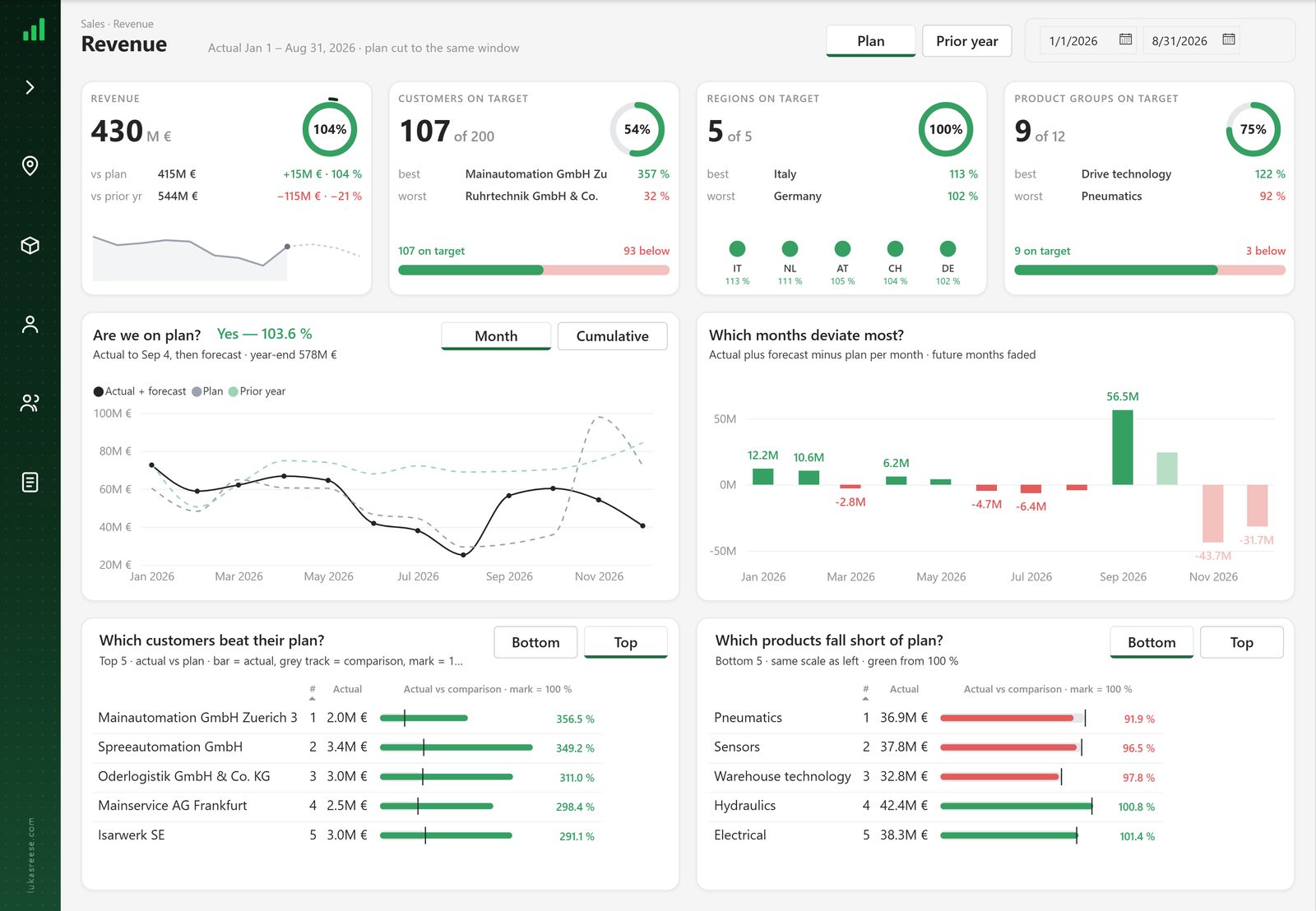
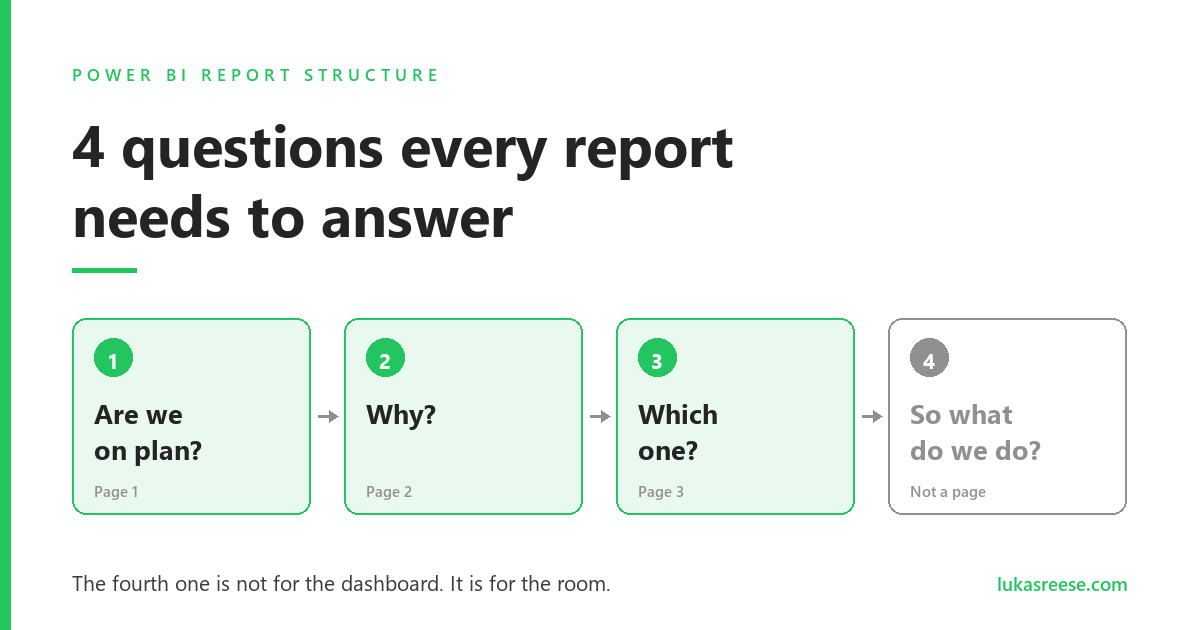
A sales report in three questions.
Revenue first, then the reason, then the customer you call. Every card title is a question, every answer leads to the next page.
Built with AI, verified by a human. Model, measures and pages were created in PBIP with AI. Every number and every visual was checked in Power BI Desktop.
AI makes it fast. Your brain makes it right.
AI now does in hours what used to take days. What a report should say, and whether the numbers are true, still needs a person.
ClaudePower BI.pbipAI does it fast
- Semantic models
- Measures and relationships
- Measure descriptions
- Report pages in PBIP
- Repetitive updates
I decide and verify
- The question per page
- The story and the path to action
- The design
- Every number, checked
- Sign-off in Desktop
Questions
What decision does each page support? Agreed in the requirements stage.
HUMANWireframe
Figma or HTML mockup you approve. Cheap to change, nothing built yet.
HUMANBuild
Model, measures and pages written in PBIP with AI, following the design rules.
AIVerify
Every number and every page checked in Power BI Desktop.
HUMANSee the whole process
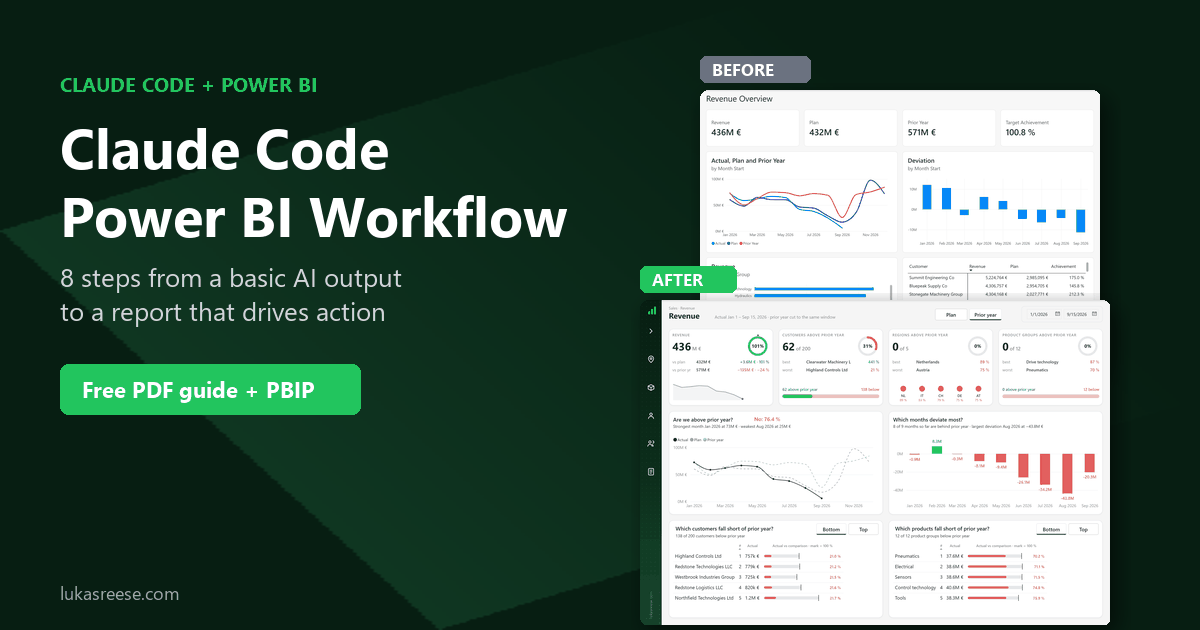
My 8-step Claude + Power BI workflow, with a free PDF guide and a PBIP sample file.
A design system for your reports.
When ten people build reports, you get ten styles. A design system gives every report the same grid, colours, page types and rules.
- Figma wireframesOverview, detail, drill-through, tooltip
- Power BI themeColours, fonts and visual defaults
- Figma libraryComponents your team designs with
- Rules for AISo AI builds new pages in your style
Want to start on your own? The Background Designer gives you report backgrounds and Figma templates on one grid.
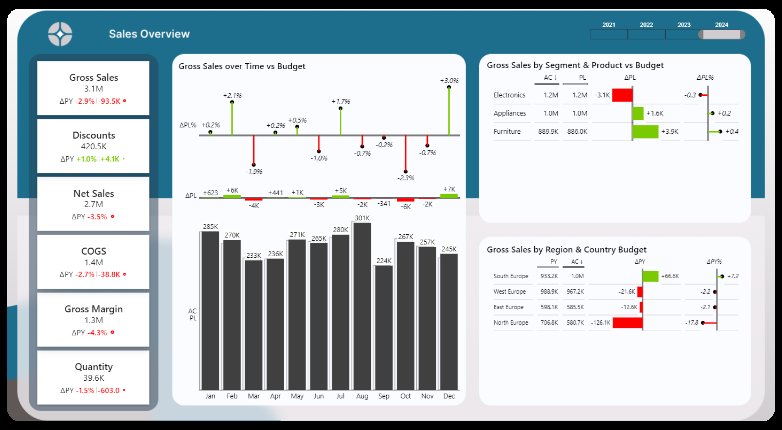
More reports.
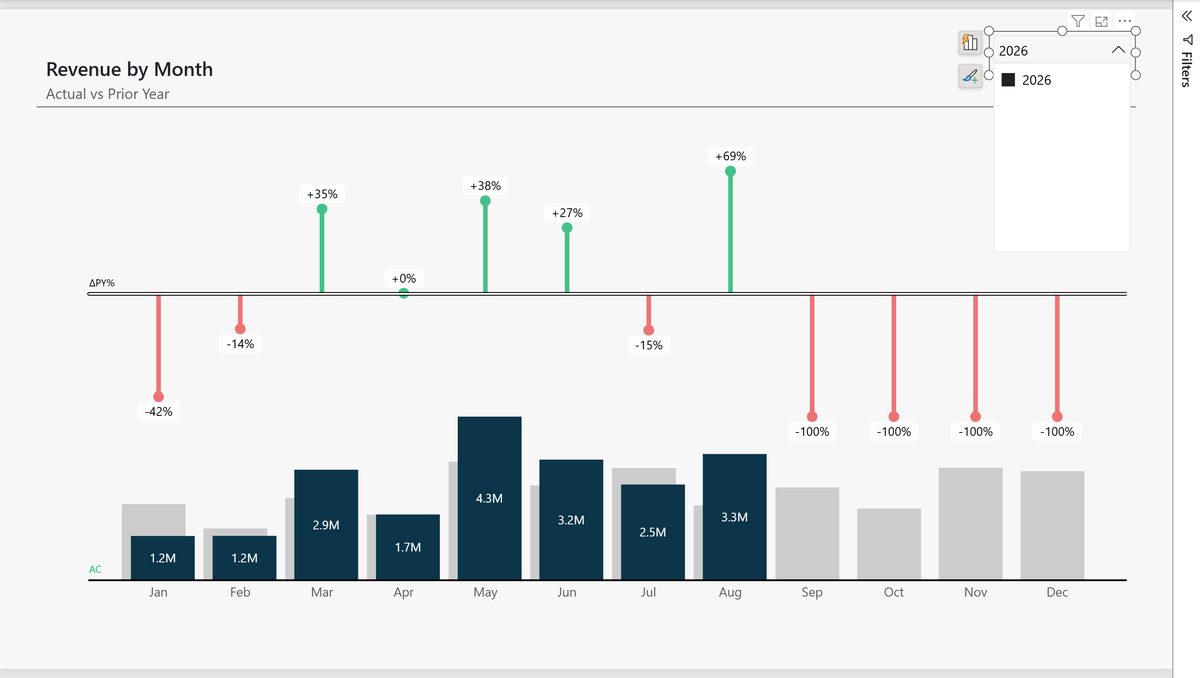
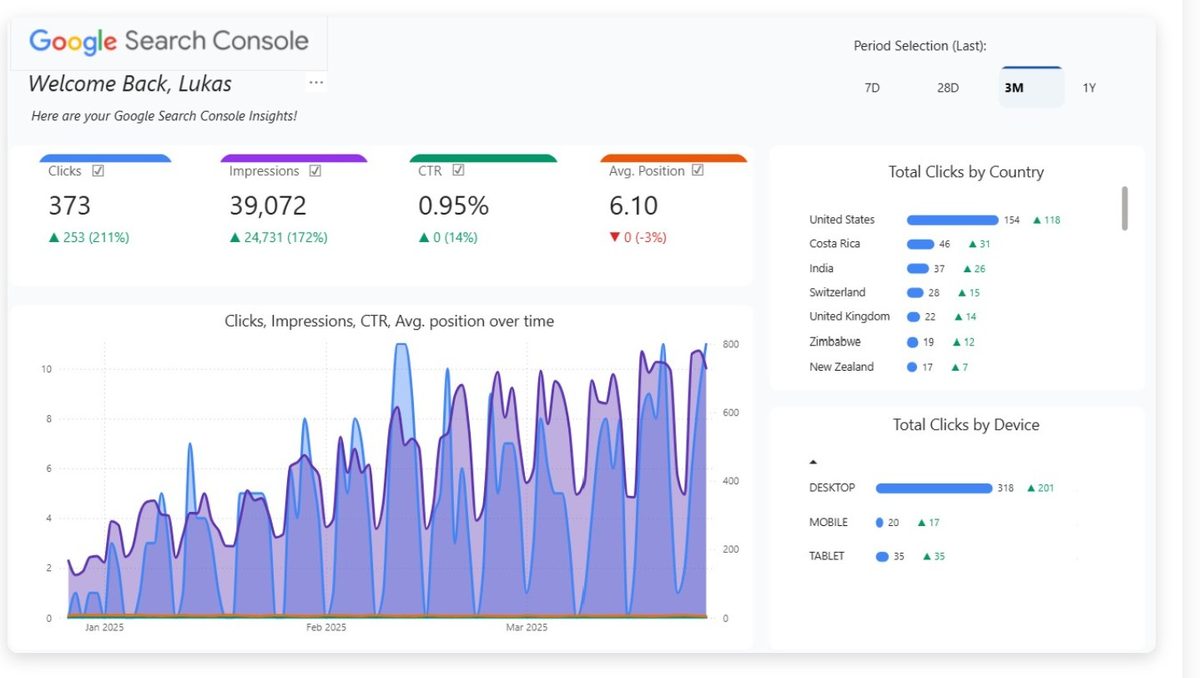
Latest posts.
A collection of what I write about: report design, AI and Power BI.

Animate your data
Not inside the report, but around it: zooms, highlights and counters that turn a dashboard screenshot into something people watch on LinkedIn, in a video or in a meeting.
Motion Library, 20 free animations →Background Designer
Report backgrounds with header, sidebar, KPI row and visual grid, aligned to the pixel. Use the web app or the Figma templates, export, and drop it into Power BI.
Have a look →Have a report that should lead to action?
Tell me what it is for and who reads it. I reply with what I would change first, in English or German.
Not ready yet? Get my Claude + Power BI workflow (free PDF + PBIP file) →